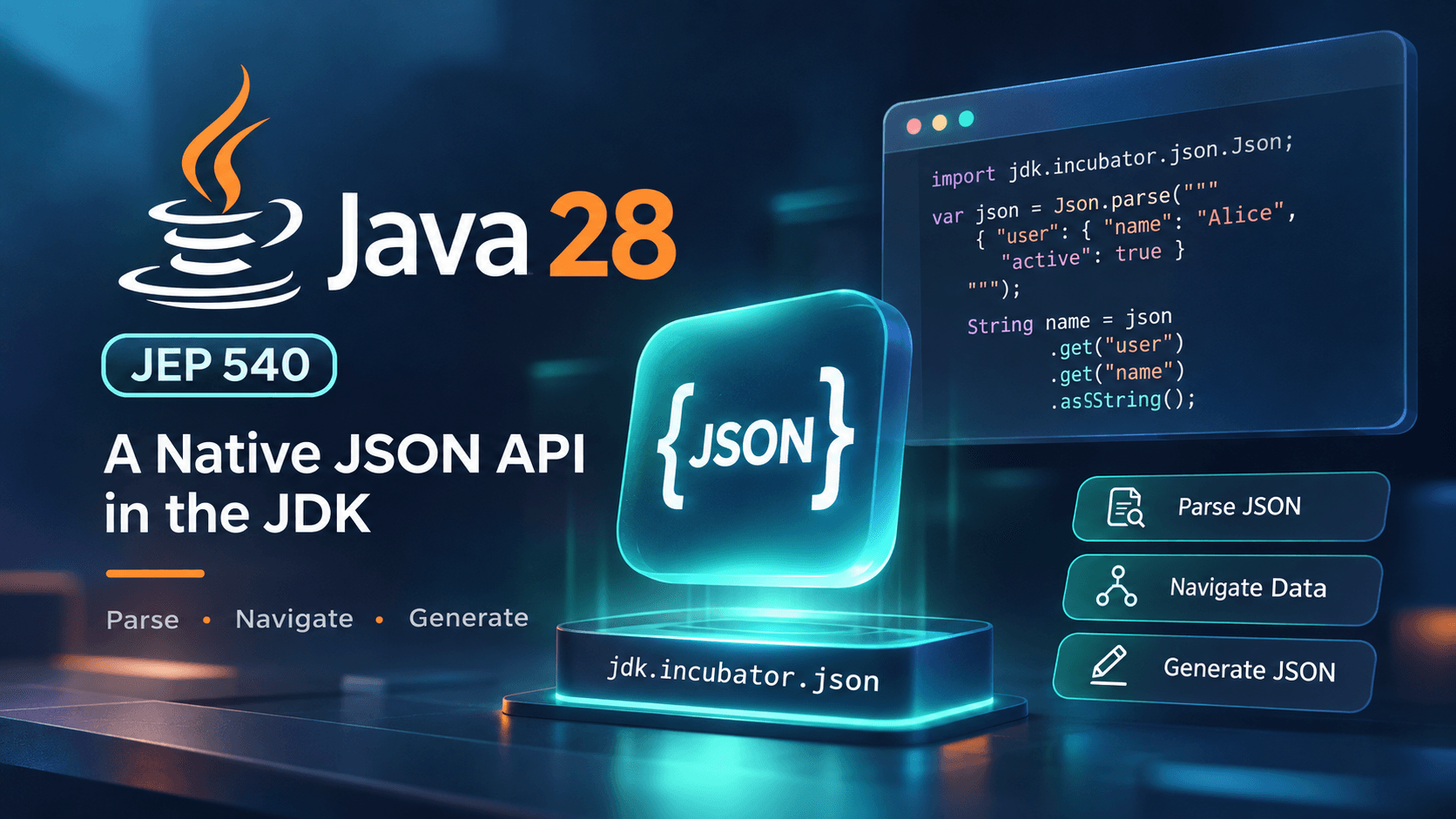
A JSON API in the JDK
Java 28 | JEP 540 | Simple JSON API (Incubator)
For years, Java developers have relied on external libraries such as Jackson and Gson to work with JSON.
Whether you're building REST APIs, consuming third-party services, reading configuration files, or processing events from Kafka, JSON is everywhere.
But there's always been something missing from the Java Development Kit itself: a simple, built-in API for parsing and generating JSON.
With JEP 540: Simple JSON API (Incubator), Java 28 is taking an important step toward changing that.
For the first time, developers will be able to perform common JSON operations using a dedicated API provided by the JDK, without adding Jackson, Gson, or another JSON library.
But does this mean Jackson is becoming obsolete?
Not quite.
Let's explore what JEP 540 introduces, how it works, and where it fits into modern backend engineering.
Release status: JEP 540 is integrated for JDK 28, scheduled for March 2027. As of November 2, 2026, Java 28 has not reached general availability. The API is incubating, so its design may change before becoming permanent.
Why Does Java Need a Native JSON API?
Imagine you're developing a lightweight Java application that consumes an external API.
The response looks like this:
{
  "service": "payment-service",
  "status": "healthy",
  "instances": 4,
  "metrics": {
    "latencyMs": 25,
    "errorRate": 0.01
  }
}
Your application only needs to extract the service name, status, and latency.
Traditionally, you'd introduce an external JSON dependency.
For example, using Jackson:
ObjectMapper mapper = new ObjectMapper();

JsonNode root = mapper.readTree(response);

String service = root.get("service").asText();

int latency = root
        .get("metrics")
        .get("latencyMs")
        .asInt();
This is straightforward, but it still requires a library outside the JDK.
For large Spring Boot applications, this is rarely a problem. Jackson is already deeply integrated into the framework.
However, consider smaller applications:
- Command-line tools
- Lightweight HTTP clients
- Internal developer utilities
- Simple configuration processors
- Diagnostic and monitoring tools
- Small standalone Java services
For these use cases, adding a complete JSON framework may be unnecessary.
The goal of JEP 540 is not to replace every JSON library. It is to make basic JSON processing a standard Java capability.
What Exactly Is JEP 540?
JEP 540 introduces a lightweight API for parsing, navigating, and generating JSON documents.
The API is delivered through an incubator module:
jdk.incubator.json
Its design follows RFC 8259, the standard JSON specification.
The proposal focuses on five fundamental capabilities:
- Parse JSON text into an in-memory representation.
- Navigate JSON objects and arrays.
- Extract values with type-specific methods.
- Construct JSON documents programmatically.
- Serialize JSON values back into text.
The API intentionally avoids several advanced capabilities, including automatic Java object mapping, streaming JSON processing, and schema validation.
This distinction is important.
JEP 540 is a JSON document API, not a complete object serialization framework.
What does Incubator mean?
Java introduces some experimental APIs through incubator modules.
An incubating API is available for developers to evaluate, but it is not yet a permanent Java SE API.
During incubation:
- Public APIs may change.
- Developers can provide feedback.
- Incompatible changes are possible.
- The module may eventually be standardized or removed.
For production teams, this means the API should be evaluated carefully rather than treated as a finalized long-term contract.
Understanding the JSON Value Model
At the center of the new API is the JsonValue interface.
It represents a value in a JSON document.
JSON supports six fundamental value categories, each represented by a corresponding Java interface.
| JSON type | Java API |
|---|---|
| Object | JsonObject |
| Array | JsonArray |
| String | JsonString |
| Number | JsonNumber |
| Boolean | JsonBoolean |
| Null | JsonNull |
These interfaces form a type hierarchy rooted in JsonValue.
Conceptually:
JsonValue
  +-- JsonObject
  +-- JsonArray
  +-- JsonString
  +-- JsonNumber
  +-- JsonBoolean
  +-- JsonNull
JsonValue is a sealed interface, while the permitted value interfaces are non-sealed.
This provides a well-defined set of JSON categories while allowing implementations of those interfaces.
Why is this useful?
The API represents JSON values explicitly rather than treating everything as a generic Java Object.
For example, a JSON number is represented as JsonNumber, not automatically as an Integer or Double.
This makes the distinction between JSON types and Java types clearer.
It also integrates naturally with Java's modern pattern matching capabilities.
4. Parsing JSON in Java 28
Let's start with a practical example.
Suppose an external service returns:
{
  "user": {
    "id": 101,
    "name": "Alice",
    "active": true
  }
}
Using the proposed API:
import jdk.incubator.json.Json;
import jdk.incubator.json.JsonValue;

String response = """
    {
      "user": {
        "id": 101,
        "name": "Alice",
        "active": true
      }
    }
    """;

JsonValue root = Json.parse(response);

int id = root
        .get("user")
        .get("id")
        .asInt();

String name = root
        .get("user")
        .get("name")
        .asString();

boolean active = root
        .get("user")
        .get("active")
        .asBoolean();
Notice something interesting.
We don't need to manually cast each intermediate object to JsonObject.
The API supports chained navigation directly through JsonValue.
This is one of its most useful design decisions.
Navigating nested JSON
Consider a more complex response:
{
  "order": {
    "id": "ORD-2028",
    "customer": {
      "name": "Alice"
    },
    "items": [
      {
        "product": "Laptop",
        "quantity": 2
      },
      {
        "product": "Mouse",
        "quantity": 1
      }
    ]
  }
}
Extracting the first product:
String product = Json.parse(response)
        .get("order")
        .get("items")
        .get(0)
        .get("product")
        .asString();
The result is:
Laptop
The API supports both object-member access and array-index access.
get(String)accesses an object member.get(int)accesses an array element.asString()extracts a string.asInt()extracts an integer.asBoolean()extracts a boolean.
This is particularly convenient for inspecting responses from external services.
5. Handling Missing Fields and Null Values
Real-world JSON documents are rarely perfect.
Fields may be missing, optional, or explicitly set to null.
Consider:
{
  "username": "alice",
  "email": null
}
There are two different situations:
Situation A: The field doesn't exist.
{
  "username": "alice"
}
Situation B: The field exists but contains null.
{
  "username": "alice",
  "email": null
}
These situations can have different meanings in API contracts.
JEP 540 provides methods to distinguish them.
JsonValue root = Json.parse(response);

Optional<JsonValue> email =
        root.tryGet("email");
tryGet() returns an empty Optional when the object member is missing.
However, if the field exists and contains JSON null, the returned Optional contains a JsonNull value.
The API also provides tryValue() to represent a JSON null value as an empty Optional.
This gives developers more control over optional JSON fields.
Production consideration
Do not assume every JSON field exists or has the expected type.
When processing external API responses, validate required fields and handle optional fields explicitly.
A malformed or unexpectedly structured response should produce a controlled application error rather than an unexplained failure.
6. Generating JSON Without External Libraries
Parsing JSON is only half the story.
Applications also need to generate JSON.
For example, suppose we want to produce:
{
  "service": "notification-service",
  "instances": 3,
  "healthy": true
}
Using JEP 540:
import jdk.incubator.json.JsonObject;
import jdk.incubator.json.JsonString;
import jdk.incubator.json.JsonNumber;
import jdk.incubator.json.JsonBoolean;

import java.util.Map;

JsonObject document = JsonObject.of(
    Map.of(
        "service",
        JsonString.of("notification-service"),

        "instances",
        JsonNumber.of(3),

        "healthy",
        JsonBoolean.of(true)
    )
);

String json = document.toString();
The resulting JSON represents the same object.
An important detail is that each Java value must be wrapped using its corresponding JSON factory method.
For example:
JsonString.of("hello");
JsonNumber.of(42);
JsonBoolean.of(true);
This makes the JSON type explicit.
It also means constructing larger documents can require more code than some existing JSON libraries.
Compact versus formatted JSON
Calling:
document.toString();
generates compact JSON.
For human-readable output, the API provides:
Json.toDisplayString(document, " ");
Formatted output is particularly useful when displaying JSON in diagnostic tools or developer utilities.
7. JSON Pattern Matching: A Modern Java Approach
One interesting advantage of the JSON value hierarchy is its compatibility with Java pattern matching.
Imagine an external API returns an identifier that may be either a number or a string.
Example A:
{
  "id": 12345
}
Example B:
{
  "id": "12345"
}
We can handle both representations using a pattern-matching switch:
JsonValue value = Json.parse(response)
        .get("id");

long id = switch (value) {
    case JsonNumber number ->
            number.asLong();

    case JsonString string ->
            Long.parseLong(string.asString());

    default ->
            throw new IllegalArgumentException(
                    "Unsupported ID format"
            );
};
This approach has several benefits:
- Explicit type handling
- Readable conversion logic
- Clear fallback behavior
- Compatibility with modern Java language features
The example handles two permitted representations of an identifier.
In production, the application should still validate the identifier's range and expected format.
8. Immutability and Thread Safety
Another important design decision is that JSON values are immutable.
Once a JSON document has been parsed or constructed, its values cannot be modified in place.
For example, you cannot directly change a parsed object's status field through a mutable setter.
Why does this matter?
Consider a backend service where multiple threads need to inspect the same JSON configuration.
With an immutable representation, readers cannot accidentally modify the shared document.
This reduces the need for defensive copying and synchronization around the JSON values themselves.
Practical example
A service could parse a configuration document once and safely share that immutable representation among multiple readers.
However, immutability does not automatically make every application operation thread-safe.
If the application replaces a shared configuration reference dynamically, publication and coordination still require appropriate concurrency mechanisms.
The important guarantee is that the JSON value representation itself is immutable and thread-safe.
9. Strict JSON Parsing and Error Handling
JEP 540 follows strict JSON syntax.
Consider this document:
{
  "name": "Alice",
  "active": true,
}
It contains a trailing comma.
Some lenient parsers may accept it.
The JDK's Simple JSON API rejects it.
The same applies to comments and other syntax extensions not supported by RFC 8259.
Duplicate JSON keys
Consider:
{
  "role": "USER",
  "role": "ADMIN"
}
Different JSON parsers may handle duplicate keys differently.
Some retain the first value, others retain the last.
JEP 540 rejects duplicate object-member names.
This is a useful interoperability and correctness decision.
Handling parsing failures
try {
    JsonValue document = Json.parse(response);

    // Process the document

} catch (JsonParseException exception) {
    // Handle invalid JSON syntax
}
The proposed exception API includes information about where parsing failed.
A separate JsonValueException is used for invalid value access and conversions.
For example, attempting to access an array index on a JSON string is not a valid operation.
Security considerations
Strict parsing helps eliminate certain ambiguities, but it does not replace input validation.
Applications still need to consider:
- Maximum request size
- Memory consumption
- Excessively nested documents
- Unexpected data types
- Numeric ranges
- Application-specific validation
A parser accepting syntactically valid JSON does not mean the document is safe or valid for your business domain.
10. Java 28 JSON API vs. Jackson vs. Gson
This is probably the most important question for backend engineers.
How does the new API compare with existing libraries?
| Capability | JEP 540 | Jackson | Gson |
|---|---|---|---|
| Parse JSON | Yes | Yes | Yes |
| Generate JSON | Yes | Yes | Yes |
| Navigate JSON trees | Yes | Yes | Yes |
| External dependency | No library dependency | Required | Required |
| Java object mapping | No | Yes | Yes |
| Streaming JSON | No | Yes | Yes |
| Advanced customization | Limited | Extensive | Available |
| API maturity | Incubator | Mature | Mature |
The JDK API is intentionally smaller.
Jackson remains particularly valuable for enterprise applications because of its object mapping, streaming, customization, and framework integrations.
For example:
record User(
        long id,
        String name,
        boolean active
) {}
With Jackson:
User user = objectMapper.readValue(
        response,
        User.class
);
This automatically maps the JSON document into a Java record.
JEP 540 does not provide equivalent automatic object mapping.
Instead, the developer would manually extract fields and construct the record.
JsonValue json = Json.parse(response);

User user = new User(
        json.get("id").asLong(),
        json.get("name").asString(),
        json.get("active").asBoolean()
);
For simple documents, manual extraction may be perfectly reasonable.
For complex domain models, Jackson is generally more convenient.
Does Spring Boot still need Jackson?
For typical Spring Boot applications, Jackson or another supported JSON serialization solution will remain relevant.
Consider a REST controller:
@RestController
@RequestMapping("/api/users")
class UserController {

    @GetMapping("/{id}")
    UserResponse findUser(@PathVariable long id) {
        return new UserResponse(
                id,
                "Alice",
                true
        );
    }
}
Spring's HTTP message conversion infrastructure handles the response serialization through its configured JSON integration.
JEP 540 does not automatically replace this framework-level functionality.
A native JSON API and a full-featured serialization framework solve overlapping but different problems.
11. Real-World Use Cases for Backend Engineers
Let's examine where JEP 540 can be useful.
Use Case 1: Reading a Health Check Response
Suppose a service calls:
GET /actuator/health
Response:
{
  "status": "UP"
}
The application only needs one value.
String status = Json.parse(response)
        .get("status")
        .asString();
A full object-mapping framework may be unnecessary for this operation.
Use Case 2: Inspecting an External REST API
Imagine a service consumes a weather API and needs only the current temperature.
int temperature = Json.parse(response)
        .get("properties")
        .get("periods")
        .get(0)
        .get("temperature")
        .asInt();
This demonstrates how concise nested JSON navigation can be.
Use Case 3: Processing Configuration Documents
A command-line utility reads:
{
  "environment": "production",
  "retry": {
    "maxAttempts": 5
  }
}
Extracting configuration values:
JsonValue config = Json.parse(content);

String environment = config
        .get("environment")
        .asString();

int maxAttempts = config
        .get("retry")
        .get("maxAttempts")
        .asInt();
The utility can perform these operations without adding a third-party JSON library.
Use Case 4: Inspecting Kafka Event Payloads
Imagine a Kafka event:
{
  "eventType": "PAYMENT_COMPLETED",
  "paymentId": "PAY-101",
  "amount": 250
}
A lightweight diagnostic tool could inspect its event type:
String eventType = Json.parse(payload)
        .get("eventType")
        .asString();
This is useful for developer tooling, debugging, and inspecting small messages.
However, for high-throughput Kafka consumers processing large numbers of events, parser performance, allocation behavior, schema evolution, and serialization requirements still need to be evaluated.
JEP 540 should not automatically be assumed faster than established libraries.
12. Performance: Is the Native API Faster Than Jackson?
A common assumption is:
"If JSON processing is built into the JDK, it must be faster."
That assumption is incorrect.
A JDK-provided implementation is not automatically faster than a third-party library.
Jackson has undergone years of optimization and production use.
The Simple JSON API prioritizes a compact, understandable API for common operations.
It is not designed as a universal high-performance replacement for every JSON processing workload.
What should you benchmark?
For a meaningful comparison, measure:
- Parsing throughput for small and medium JSON documents.
- Allocation rate and garbage collection pressure.
- Latency at p50, p95, and p99.
- Serialization throughput.
- Memory usage under concurrent workloads.
- Performance when processing deeply nested structures.
Use JMH for Java microbenchmarks and ensure each implementation performs equivalent work.
Avoid drawing conclusions from a single execution or a simplistic timing comparison using System.nanoTime().
Choose JSON tooling based on measured workload requirements, not whether it ships with the JDK.
13. How to Experiment with the API
Because JEP 540 introduces an incubator module, it requires explicit module resolution.
With a compatible JDK 28 early-access build containing the feature, the general compilation approach is:
javac \
  --add-modules jdk.incubator.json \
  JsonExample.java
Run the application:
java \
  --add-modules jdk.incubator.json \
  JsonExample
You can inspect the available modules with:
java --list-modules
Look for:
jdk.incubator.json
The module must be present in the selected JDK build.
Early-access APIs and their exact behavior should be verified against the corresponding build documentation.
For production projects, remember that incubator modules are not permanent compatibility guarantees.
14. What JEP 540 Does Not Solve
Understanding the limitations is just as important as understanding the features.
No automatic object mapping
You cannot simply deserialize a complex JSON document into an arbitrary Java domain object using a built-in equivalent of Jackson's readValue().
No streaming API
The proposal focuses on in-memory JSON documents.
It is not designed for processing extremely large JSON documents incrementally without materializing the document representation.
No JSON Schema validation
The API parses JSON syntax but does not validate business schemas.
For example, it does not automatically enforce that a payment amount must be positive or that a field is required by a particular application contract.
No complete framework integration
The API does not automatically replace JSON integrations in Spring Boot, Hibernate-related tooling, or other frameworks.
No guarantee of long-term API stability yet
Because it is incubating, its public API may evolve.
These are deliberate scope decisions rather than necessarily missing features.
15. Should You Adopt It in Production?
The answer depends on your application's requirements.
Consider experimenting with JEP 540 when:
- You are building a small standalone Java utility.
- You only need basic JSON parsing or generation.
- You want to minimize external dependencies.
- Your JSON documents are reasonably small.
- You want to evaluate upcoming JDK capabilities.
Continue using established libraries when:
- Your application relies heavily on DTO serialization.
- You use Spring Boot's automatic request and response mapping.
- You process very large JSON streams.
- You need advanced annotations or customization.
- You require mature ecosystem integrations.
- You need stable APIs with established compatibility expectations.
For critical production applications, the incubating status alone is an important reason to be cautious.
A reasonable adoption strategy is to evaluate the API in internal utilities, experiments, or isolated components before considering broader use.
16. The Bigger Picture: Why This Matters for Java
JEP 540 represents a broader direction in Java's evolution.
The platform continues to improve developer productivity while retaining its focus on compatibility, performance, and long-term maintainability.
A native JSON API could make everyday tasks easier, particularly outside large application frameworks.
It also creates a common baseline that developers can rely on when they need straightforward JSON operations.
But standardization does not mean every specialized library becomes unnecessary.
Java already provides networking, collections, concurrency, and cryptographic APIs in the JDK.
Developers still use specialized libraries and frameworks when their requirements exceed those built-in capabilities.
JSON processing can follow the same model.
A small standard API for common operations.
Specialized libraries for advanced requirements.
That is a practical balance.
Final Thoughts
Java 28's Simple JSON API is a meaningful addition to the Java ecosystem.
It addresses a long-standing gap: the absence of a straightforward, JDK-provided API for everyday JSON processing.
The most important takeaway is not that Jackson or Gson will disappear.
It's that Java developers will have another option, one that requires no external JSON library for basic parsing, navigation, and document generation.
For backend engineers, understanding where this API fits is more valuable than adopting it simply because it is new.
Use the right tool for the right problem.
And keep an eye on JEP 540 as it evolves.
Further Reading
- JEP 540: Simple JSON API (Incubator)
- OpenJDK
- Java 28 Early-Access Builds
- RFC 8259: The JSON Data Interchange Format
Continue Learning with Proxy Academy
Explore Java, backend engineering, system design, and production-ready software architecture at proxy-academy.com.
Discussion: Would you use Java's built-in JSON API for lightweight services, or would you continue using Jackson?